Draw on your phone and see it live on your PC
A phone is always with you, which makes it a handy way to sketch an idea and put it on a bigger screen. Open iDrawFast in your phone’s browser and on your PC, pair the two with a QR code, and the strokes you draw with a finger appear on the PC as you draw.
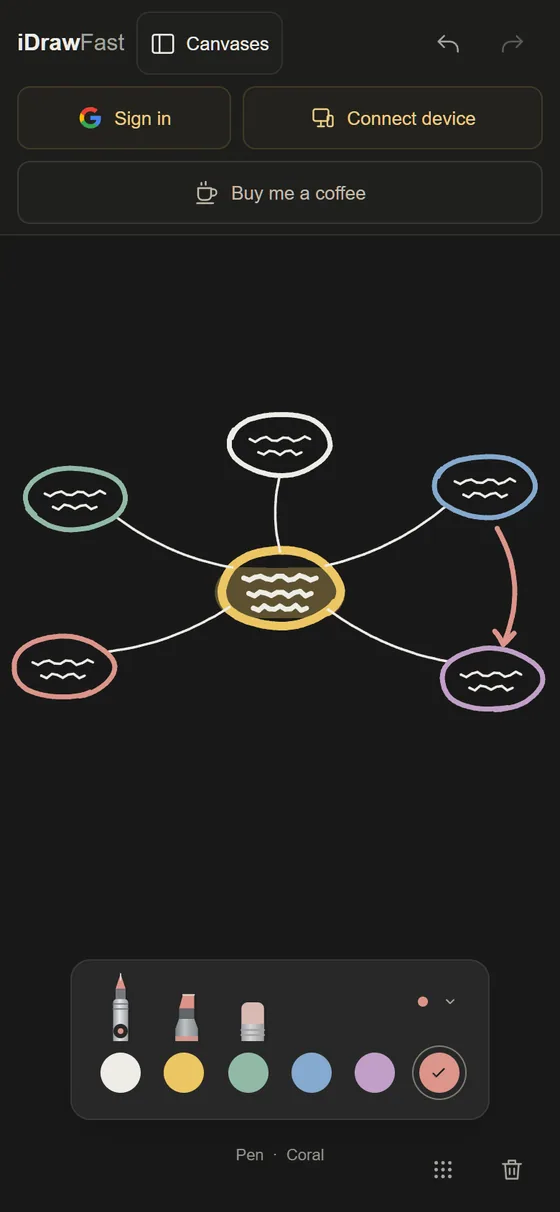
Works on iPhone and Android
The board runs in the browser, so there is nothing to download. It uses standard web features that current iPhone and Android browsers support, and the touch controls are the same as on an iPad. The screen is smaller, so the board scrolls: use two fingers to pan around instead of trying to fit everything into view.
Pair in three steps
- On your PC, open idrawfast.ezels.dev and choose Connect device.
- Point your phone’s camera at the QR code and open the link. If scanning is awkward, copy the link and message it to yourself.
- Draw with a finger. The PC shows each stroke as it is made, and drawing with a mouse on the PC appears on the phone.
Problems connecting? See pairing and troubleshooting.
Tips for a small screen
- Turn the phone to landscape for a wider drawing area.
- Use the fine pen for detail and the broad pen or highlighter for large shapes.
- Each device keeps its own view, so you can pan around on the phone while the PC stays where it is. On the PC, the full screen button shows the board without browser toolbars.
- Use the PC as the big picture: everything you draw on the phone stays visible there.
Pens and styluses
A finger draws at a constant pressure. If your stylus is reported by the browser as a pen, as Apple Pencil is on iPad, the pen tool responds to pressure. Hardware buttons and gestures on styluses are not available to websites.
What it does not do
iDrawFast shares a drawing board, not your phone’s screen. It cannot draw into other apps or on other websites, and it has no zoom, layers, text or image import.
Questions people ask
Do I need to install an app on my phone?
No. Open the website in your phone’s browser and pair it with your PC.
Does it work on Android?
Yes. iDrawFast uses standard web features that current Android browsers such as Chrome support.
Can I draw on the PC and see it on the phone?
Yes. The board is shared in both directions.
Keep reading
- Draw on iPad and Show It on Your PC, Live and FreePair an iPad and a PC with a QR code and watch every stroke appear on the PC as you draw. Free, runs in the browser, nothing to install.
- Supported Devices and Browsers for iDrawFastWhich iPads, phones, PCs and browsers work with iDrawFast, how pen, touch and mouse input are handled, and what to check if the board will not load or connect.
- Pair Your iPad and PC With a QR Code (and Fix Problems)How iDrawFast pairing works, three ways to join a board, and fixes for camera, connection and reconnect problems between your iPad, iPhone and computer.